
If your Keurig K-Mini is not brewing a full cup, it can be frustrating and disrupt your coffee routine. Often, the issue stems from mineral buildup, clogs, or water flow problems. This guide provides clear, safe steps to diagnose and fix the problem, helping you get back to enjoying full, flavorful brews.
Remember to always unplug your coffee maker before performing maintenance or troubleshooting to ensure safety and prevent damage.
Key Takeaways
| Check for mineral buildup | Descale regularly to prevent clogs affecting brew size. |
| Clean the water reservoir and needles | Remove debris and oils that can block water flow. |
| Inspect and clear the brew path | Ensure no obstructions are preventing a full brew. |
| Use proper descaling and cleaning products | Maintain the machine with recommended solutions. |
| Ensure water reservoir is seated correctly | A misaligned reservoir can cause incomplete brews. |

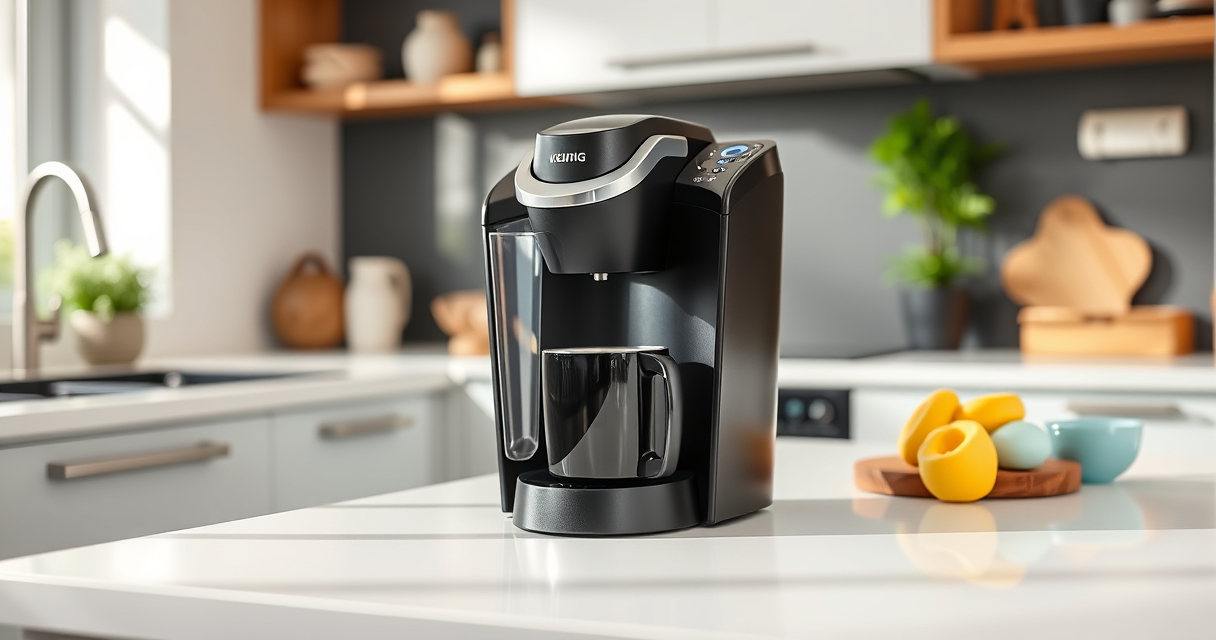
Keurig K-Mini Single Serve K-Cup Pod Coffee Maker, 6 to 12oz Brew size, with Cord Storage, Perfect for Small Spaces, Black
FITS ANYWHERE: Less than 5 inches wide, perfect for small spaces.
As an affiliate, we earn on qualifying purchases.
Step 1: Check and Refill the Water Reservoir
- Unplug the Keurig for safety.
- Remove the water reservoir and check for any cracks or blockages.
- Refill with fresh, clean water, ensuring it is seated correctly in the machine.
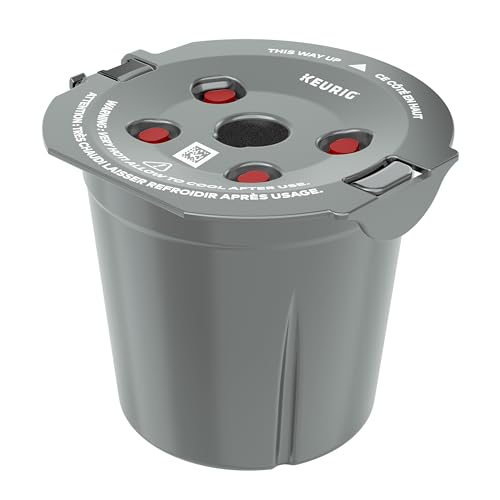
My K-Cup® Reusable Coffee Filter
BREW WITH GROUND COFFEE: Brew a single cup using your own favorite ground coffee
As an affiliate, we earn on qualifying purchases.
Step 2: Perform a Descaling Cycle
Mineral deposits can clog internal components, limiting water flow. Use a descaling solution compatible with your Keurig (such as the Keurig Descaling Solution or a similar product).
- Fill the water reservoir with the descaling solution mixed with water, following the product instructions.
- Place a large mug under the spout.
- Run a brewing cycle without a K-Cup until the reservoir is empty.
- Repeat with clean water to rinse out any remaining descaling solution.
Step 3: Clean the Needle and Brew Path
Clogged needles or brew pathways can prevent full cups. Use a paperclip or a Keurig-specific needle cleaning tool to clear any blockages.
- Turn off and unplug the machine.
- Remove the K-Cup holder and clean out any coffee grounds or debris.
- Use a needle cleaning tool to gently clear the entrance and exit needles.
Step 4: Check and Reset the Brewer
Sometimes, a simple reset can resolve minor software glitches.
- Unplug your Keurig and wait for at least 30 seconds.
- Plug the machine back in and turn it on.
- Run a test brew with just water to see if the full cup is achieved.
Additional Tips and Warnings
- Use filtered or bottled water if your tap water is hard or mineral-rich.
- Perform descaling every 3-6 months depending on usage.
- Never force open the machine or use abrasive tools to clean.
- Consult the user manual for specific instructions related to your model.
The Products in This Guide

Keurig K-Mini Single Serve K-Cup Pod Coffee Maker
- ✔ Weight: 5 lbs
- ✔ Capacity: Removable drip tray
- ✔ Power: 120V

My K-Cup® Reusable Coffee Filter
- ✔ Size: 7 items
- ✔ Type: Descaling & cleaning
- ✔ Use: Every 3 months
Keurig K-Mini Single Serve K-Cup Pod Coffee Maker
The Keurig K-Mini Single Serve K-Cup Pod Coffee Maker is ideal for small spaces, offering quick and fresh brews with a simple design. Regular maintenance is key to resolving issues like incomplete brewing.
Pros:
- Space-saving design
- Brews 6-12oz cups
- Removable drip tray
- Energy-efficient auto off
Cons:
- Limited water reservoir capacity
- Not compatible with all reusable filters
- Requires regular descaling
Best for: Small apartments, offices, or travel use.
Not ideal for: households needing large capacity or frequent brewing.
Bottom line: Compact, reliable, and perfect for small spaces with simple maintenance.
My K-Cup® Reusable Coffee Filter
The Keurig 3-Month Brewer Maintenance Kit helps keep your machine running smoothly by removing mineral deposits and ensuring optimal performance, reducing brewing issues.
Pros:
- Includes descaling solution
- Rinse pods for quick cleaning
- Water filter cartridge refills
- Easy to use
Cons:
- Requires purchase every 3 months
- Not a repair for mechanical issues
- Descaling process takes time
Best for: Regular maintenance to prevent brewing problems.
Not ideal for: Immediate repairs for hardware failures.
Bottom line: A comprehensive maintenance kit to keep your Keurig performing at its best.
Frequently Asked Questions
Why is my Keurig not brewing a full cup?
Common reasons include mineral buildup, clogged needles, or water flow obstructions. Regular descaling and cleaning can resolve these issues.
How often should I descale my Keurig?
It’s recommended to descale every 3-6 months, depending on usage and water hardness, to prevent clogs and maintain performance.
Can I use my own ground coffee in the Keurig?
Yes, with a reusable filter such as the My K-Cup, you can brew your favorite ground coffee instead of pods.
Is it safe to open my Keurig for cleaning?
Unplug the machine before cleaning or maintenance. Do not force open or disassemble components beyond recommended cleaning procedures.
Keep Your Keurig Brewing Perfect Cups
With regular maintenance, proper cleaning, and descaling, your Keurig K-Mini can reliably brew full cups again. Follow these steps to troubleshoot common issues and enjoy fresh, flavorful coffee every time. Remember, a well-maintained machine extends its lifespan and ensures the best brew quality.
Affiliate disclosure: As an Amazon Associate we earn from qualifying purchases. Prices and availability are accurate as of the time of publishing.