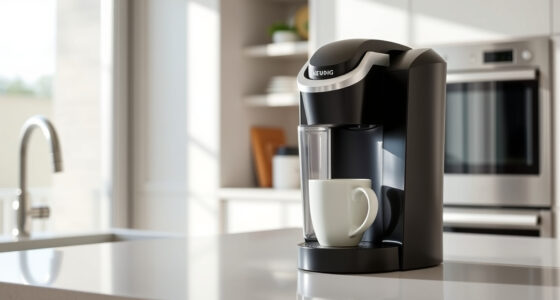
If your Keurig K-Mini coffee maker isn’t turning on, it can be frustrating, especially when you’re craving your morning brew. Fortunately, most power issues are simple to diagnose and fix. This guide walks you through common causes and safe, effective solutions to get your coffee maker working again.

Get coffee and tea gear delivered free with Prime
- Fast, free delivery on millions of items
- Prime Video, Amazon Music and more included
- Member-only deals all year
Before attempting any repairs, ensure your machine is properly plugged in and that the outlet is functioning correctly. Follow these clear steps to troubleshoot and resolve the problem efficiently.
Key Takeaways
| Check Power Source | Ensure the outlet is working and the plug is secure. |
| Inspect Power Button | Make sure the power button is fully pressed and responsive. |
| Examine Cord & Connections | Look for damage or loose connections in the power cord. |
| Reset & Clean | Reset the machine and clear any blockages or debris. |
| Seek Professional Help | If unresolved, consider contacting customer support or a technician. |
1. Verify Power Source and Outlet
- Unplug the Keurig and plug it into a different, functioning outlet.
- Check if other devices work in that outlet to confirm power supply.
- Ensure the power cord is firmly connected to both the machine and the outlet.
2. Inspect the Power Button and Controls
Press the power button firmly. If it feels stuck or unresponsive, gently clean around it with a dry cloth. Confirm that any indicator lights are not flickering or off, which could suggest an internal fault.
3. Check the Power Cord and Connections
- Inspect the entire length of the cord for cuts, frays, or damage.
- Ensure the cord is securely connected to the coffee maker and the outlet.
- If damaged, replace the cord or contact customer support for repairs.
4. Reset and Clean the Machine
Unplug the Keurig for at least 30 seconds, then plug it back in to reset the electronics. Check for any visible blockages or debris around the power area and clean gently if needed.
If the machine has a removable water reservoir, remove and reattach it to ensure proper connection.
5. Additional Troubleshooting and Support
If your Keurig still won’t turn on after these steps, consult the user manual or contact Keurig customer support. Avoid attempting internal repairs yourself, as this can void warranties or cause further damage.
The Products in This Guide

Keurig K-Mini Single Serve K-Cup Pod Coffee Maker
- ✔ Weight: 5.9 lbs
- ✔ Dimensions: 11.3 x 4.5 x 12 inches
- ✔ Power: 1500W

My K-Cup® Reusable Coffee Filter
- ✔ Capacity: Single cup
- ✔ Material: Plastic
- ✔ Compatibility: Multiple Keurig models
Keurig K-Mini Single Serve K-Cup Pod Coffee Maker
The Keurig K-Mini Single Serve K-Cup Pod Coffee Maker is a sleek, space-saving device perfect for small kitchens or offices. Despite its small size, it offers quick brewing and customizable cup sizes between 6-12oz.
Pros:
- Fits in tight spaces
- Fast brew time
- Removable drip tray
- Energy-efficient auto off
Cons:
- Limited to single serve
- No on/off switch
- Requires separate reusable filter
Best for: Small spaces, quick coffee needs, travel-friendly use
Not ideal for: Large households or those wanting multiple cups at once
Bottom line: Compact, efficient, and perfect for small spaces, but limited to single servings.
My K-Cup® Reusable Coffee Filter
The My K-Cup® Reusable Coffee Filter allows you to brew your favorite ground coffee in your Keurig. It’s a convenient, eco-friendly alternative to single-use pods, compatible with the K-Mini and other models.
Pros:
- Saves money on pods
- Eco-friendly reuse
- Brews full-flavor coffee
- Easy to clean
Cons:
- Requires ground coffee prep
- May need more cleaning
- Not suitable for all brew sizes
Best for: Ground coffee lovers, eco-conscious users, cost-saving brewers
Not ideal for: Those preferring pod convenience or quick cleanup
Bottom line: A practical reusable filter for ground coffee fans looking to save and be eco-friendly.
Frequently Asked Questions
Why won’t my Keurig turn on?
Common causes include a faulty power outlet, damaged power cord, or a malfunction in the machine’s electrical components. Follow the troubleshooting steps to identify the issue.
How do I reset my Keurig K-Mini?
Unplug the machine for at least 30 seconds, then plug it back in. This resets the internal electronics and can resolve minor glitches.
Can I use a different power outlet?
Yes, try plugging your Keurig into a different outlet to rule out outlet issues. Ensure the outlet is functioning properly.
What if my machine still won’t turn on?
If troubleshooting doesn’t resolve the issue, contact Keurig customer support or consider professional repair, especially if your machine is still under warranty.
Getting Your Keurig Back in Action
Power issues with your Keurig can often be resolved with simple checks and resets. By following these step-by-step troubleshooting tips, you can identify the cause and restore your coffee maker to working order. Remember to always prioritize safety and consult professional support if needed to avoid further damage.
Affiliate disclosure: As an Amazon Associate we earn from qualifying purchases. Prices and availability are accurate as of the time of publishing.
Halloween Picks
halloween
As an affiliate, we earn on qualifying purchases.