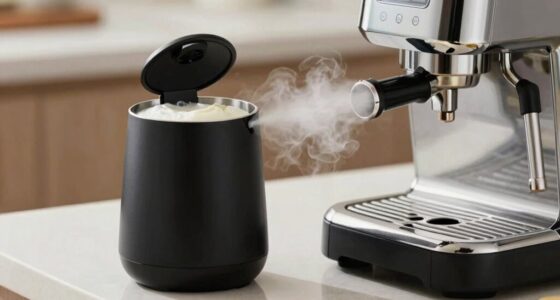
Shopping for a coffee maker with smart features means deciding where you want the convenience to live: on your phone or on the machine. App-connected models can let you set schedules, change brew settings, and check status remotely, while built-in smart controls rely on timers, sensors, and buttons at the appliance. The app route suits people who want control from bed or across the house; built-in controls suit buyers who want automation with fewer setup steps and fewer connected-device dependencies. Neither approach guarantees better coffee. For most households, a dependable timer and easy-to-use controls matter more than a long feature list.

Get coffee and tea gear delivered free with Prime
- Fast, free delivery on millions of items
- Prime Video, Amazon Music and more included
- Member-only deals all year

Keurig K-Café SMART Single-Serve Coffee Maker – Black
- ✔ Coffee format: K-Cup pod
- ✔ Brew sizes: 2, 4, 6, 8, 10, and 12 oz
- ✔ Connectivity: Wi-Fi, app control, voice assistant support

Chefman Caffeinator Programmable Drip Coffee Maker, 14-Cup Glass Carafe with 1-4 Cup Brewing, Classic & Bold Settings, 24-Hour Ti…
- ✔ Coffee format: Ground coffee
- ✔ Carafe capacity: 14 cups
- ✔ Small-batch setting: 1–4 cups

Braun BrewSense 12-Cup Drip Coffee Maker w/ 24 Hour Timer, 2 Brew Styles
- ✔ Coffee format: Ground coffee
- ✔ Carafe capacity: 12 cups
- ✔ Timer: 24-hour programmable
At a Glance
| Criteria | App-connected smart coffee makers | Coffee makers with built-in smart controls | Winner |
|---|---|---|---|
| Remote control | Control and status checks through a compatible app; features vary by model. | Controls are at the machine; usually no remote changes. | A |
| Scheduling | Often supports app scheduling and changes to programmed brew times. | A built-in clock and timer can start brewing at a set time. | Tie |
| Setup and daily use | Requires app setup and may require a Wi-Fi account or smart-home permissions. | Typically straightforward to program and use without an app. | B |
| Reliability and connectivity | Some functions can depend on Wi-Fi, app support, or cloud services. | Core timer functions usually work without internet access. | B |
| Brew customization | May offer more settings in the app, depending on the model. | Settings depend on the buttons and menus provided. | Depends |
| Maintenance alerts | Can send reminders to a phone when supported. | May show reminders on the display, if included. | A |
| Value | Costs more on many models; worthwhile if remote control is used often. | Often less costly; strong value if scheduling is the main need. | Depends |
Keurig K-Café SMART Single-Serve Coffee Maker – Black
The K-Café SMART is the clearest choice when “smart features” means more than setting a timer. Its Wi-Fi app control supports remote brewing and scheduling, while voice assistant compatibility can make hands-free use practical when your routine is already tied to Alexa or Google Home. BrewID adds another layer: it uses pod information to recommend settings, so buyers who like trying different K-Cup varieties can get guidance without manually tuning each cup.Compared with the Chefman and Braun, this Keurig is built for individual drinks rather than a shared pot. Its range of cup sizes and customizable strength and temperature give one person more choice from cup to cup. The hot-and-cold frother also makes it the only option here aimed at café-style milk drinks. That versatility comes with a firm constraint: it is designed around K-Cup pods, while both drip brewers take ground coffee and can make a larger batch at once.There is also more reliance on setup and connectivity than with the carafe models. The connected functions depend on a stable Wi-Fi connection and the Keurig app, so buyers seeking a brewer that works entirely through physical controls may prefer Braun or Chefman. We’d choose this model for a household that values remote control, pod recommendations, and specialty drinks, and skip it if avoiding proprietary pods is a priority.
Pros:
- Wi-Fi app control supports remote brewing, scheduling, and saved settings.
- BrewID recommends brew settings for compatible K-Cup pods.
- Built-in frother supports hot and cold milk drinks.
- Voice assistant integration and multiple cup sizes support flexible routines.
Cons:
- Designed for K-Cup pods rather than direct ground-coffee brewing.
- Connected functions depend on the app and a stable Wi-Fi connection.
- Single-serve format is less suitable for making a pot for several people.
Best for: Pod drinkers who want app scheduling, voice control, and hot or cold frothed milk drinks.
Not ideal for: Households that mainly brew a full carafe, prefer ground coffee, or want all controls to work without Wi-Fi and an app.
Bottom line: For buyers who want a genuinely connected coffee routine with pod-based variety and milk drinks, the K-Café SMART is the strongest fit in this group.
“For buyers who want a genuinely connected coffee routine with pod-based variety and milk drinks, the K-Café SMART is the strongest fit in this group.”
Chefman Caffeinator Programmable Drip Coffee Maker, 14-Cup Glass Carafe with 1-4 Cup Brewing, Classic & Bold Settings, 24-Hour Ti…
Chefman makes the most sense for households that want a programmable pot but don’t always need a full one. Its 14-cup carafe serves a group, while a dedicated 1–4 cup setting adjusts the brewing routine for smaller batches. Classic and Bold choices give users a straightforward strength preference, and the 24-hour timer can line up a pot with a morning schedule. This is useful automation without requiring an account, phone, or home network.The standout difference from Braun is warming control. Chefman lets users choose among three warming temperatures and keep coffee warm for up to three hours, giving more say over how a pot is held after brewing. It also includes a reusable filter, charcoal water filter, and a descaling function after 100 brewing cycles. Braun’s appeal is more about water-hardness-aware cleaning and a compact footprint; Chefman instead emphasizes capacity and serving flexibility.That larger carafe is a benefit only if counter space and batch brewing suit the household. The listed footprint is narrower than some full-size brewers, but it is still a countertop appliance, and its 14-cup capacity can be unnecessary for one or two coffee drinkers. Unlike the Keurig, there is no Wi-Fi or remote control; scheduling is handled on the machine. We’d pick it for families or shared kitchens that brew ground coffee, and pass if app control or true single-cup pod convenience is central.
Pros:
- 14-cup carafe suits households and group serving.
- 1–4 cup mode supports smaller batches.
- Three warming temperature settings and up to three hours of keep-warm time.
- 24-hour timer, reusable filter, and built-in descaling function.
Cons:
- Programmability is handled on the machine rather than through an app.
- Its larger capacity may be excessive for a small household.
- The machine uses a glass carafe and warming plate, rather than keeping coffee in an insulated carafe.
Best for: Ground-coffee drinkers who need both a large shared pot and a better-controlled small batch, with scheduled starts and adjustable warming.
Not ideal for: Buyers who want app or voice control, a very compact machine, or the convenience of single-serve pods.
Bottom line: Chefman is the most adaptable carafe brewer here for households that alternate between a crowd-sized pot and a smaller scheduled brew.
“Chefman is the most adaptable carafe brewer here for households that alternate between a crowd-sized pot and a smaller scheduled brew.”
Braun BrewSense 12-Cup Drip Coffee Maker w/ 24 Hour Timer, 2 Brew Styles
Braun’s BrewSense is the practical choice for buyers who want a scheduled pot and useful upkeep features without making a phone app part of the morning routine. The 24-hour timer and two brew styles cover familiar daily needs, while its cleaning program can be customized to local water hardness. That last feature gives Braun a distinct advantage for owners who want maintenance prompts better matched to their water conditions.Compared with Chefman, Braun has a smaller 12-cup capacity and a more compact listed footprint. It also includes a charcoal water filter and reusable gold-tone filter, plus a pause-and-pour feature for serving before the brewing cycle finishes. Chefman offers a larger pot and more warming temperature control, so it suits households that care about capacity and holding temperature. Braun is more appealing when counter space and tailored cleaning matter more than extra batch size.This is still a conventional drip brewer in the ways that matter to some smart-home buyers: the supplied details describe buttons and a timer, not Wi-Fi, app control, or voice commands. Compared with the Keurig, it cannot brew remotely or handle pod-based café drinks. Its smartness is therefore focused on making a ground-coffee routine easier to schedule and maintain. We’d choose it for coffee drinkers who want a straightforward machine with thoughtful cleaning controls; anyone seeking a connected appliance should look to the K-Café SMART.
Pros:
- 24-hour programmable timer and two brew styles.
- Cleaning settings can be matched to local water hardness.
- Charcoal water filter and reusable gold-tone filter are included.
- Pause-and-pour feature supports serving before the cycle ends.
Cons:
- No Wi-Fi app control or voice assistant support is specified.
- 12-cup capacity is smaller than Chefman’s 14-cup carafe.
- Does not offer an integrated frother or pod-based drink variety.
Best for: Ground-coffee drinkers who want a smaller-footprint carafe machine with a timer and cleaning settings tailored to water hardness.
Not ideal for: Buyers who want app or voice control, a larger 14-cup batch, or integrated milk frothing.
Bottom line: BrewSense is a sensible fit for buyers who value scheduled carafe brewing and more tailored upkeep over app-connected features.
“BrewSense is a sensible fit for buyers who value scheduled carafe brewing and more tailored upkeep over app-connected features.”
As an Amazon Associate we earn from qualifying purchases.
Key Differences
The central distinction is remote access. An app-connected maker can be useful when your routine changes or you want to prepare a brew without standing beside the machine. That convenience has real value for early mornings, shared kitchens, or people who regularly adjust their schedule. It also brings extra setup and possible dependence on a network, an app, and continued software support. Check which controls still work from the appliance if the internet is unavailable.
Built-in smart controls focus on predictable automation. A timer can have coffee ready at a chosen hour without asking you to configure another device, and the basic routine is less exposed to connectivity problems. It cannot offer the same away-from-the-machine changes or phone alerts. Coffee quality depends more on brewing temperature, water distribution, filter design, and freshness than on whether a phone is involved. Pay for app features when remote control solves a recurring problem; otherwise, a good machine timer is usually the better value.
Detailed Comparison
Remote control (App-connected smart coffee makers wins — moderate)
App-connected models win by a moderate margin for buyers who actually need to start, adjust, or check a brew from another room or away from home. Built-in controls cannot match that access, though they keep the essential interaction simple and immediate at the machine. If you rarely change plans, remote control may add little day-to-day benefit.
Scheduling (minor difference)
This is close to a tie. Both styles can offer a programmed start time, so either can have coffee ready on a weekday morning. App scheduling can make it easier to revise the schedule from a phone; built-in timers provide the same core result with fewer steps once programmed. Confirm the specific model’s scheduling limits before buying.
Setup and daily use (Coffee makers with built-in smart controls wins — moderate)
Built-in smart controls win by a moderate margin for ease. Programming a clock or timer at the appliance is usually more direct than installing an app, pairing the maker, and managing account or network permissions. App models can still be convenient after setup, especially when several household members use the machine, but they ask more of the buyer at the outset.
Reliability and connectivity (Coffee makers with built-in smart controls wins — moderate)
Built-in controls win by a moderate margin for dependable basic operation. A local timer is not reliant on the router or an app service, while some app features may stop working if connectivity or software support changes. This does not mean every connected model fails offline: check the manual to see which functions remain available directly on the machine.
Brew customization (moderate difference)
The winner depends on the machine. An app may make settings easier to find or adjust, but a phone connection does not itself improve extraction or taste. Built-in models can offer useful controls too. Compare the actual options for brew strength, batch size, and temperature, where available, instead of treating the word “smart” as a quality measure.
Maintenance alerts (App-connected smart coffee makers wins — minor)
App-connected models win by a minor margin when they provide phone notifications for cleaning or descaling. These reminders can help owners keep up with maintenance, but a display alert or recurring calendar reminder can serve much the same purpose. Alerts are helpful only if the model tracks the relevant maintenance and the user follows through.
Value (moderate difference)
There is no universal winner. Built-in controls are generally better value when the desired feature is a morning timer, because they can deliver that routine without paying for connectivity. App control earns its higher cost for buyers who frequently adjust brewing remotely or will use useful alerts. Compare prices alongside capacity, brew performance, and build quality.
App-connected smart coffee makers: Pros and Cons
Pros:
- Remote start, adjustments, and status checks on supported models
- Scheduling changes are convenient from a phone
- Can provide phone-based maintenance reminders
Cons:
- More setup and possible account or Wi-Fi requirements
- Some features may rely on app or cloud support
- Often costs more than a comparable machine with local controls
Coffee makers with built-in smart controls: Pros and Cons
Pros:
- Simple timer-based automation without a phone
- Core controls generally work without internet access
- Often costs less while covering routine scheduled brewing
Cons:
- Cannot change or check a brew remotely
- Timers and menus vary in ease of use
- May offer fewer alerts or settings than connected models
Who Should Choose What
Choose App-connected smart coffee makers if:
- You want to start or adjust brewing from bed, another room, or away from home.
- Your schedule changes often and you will use app scheduling regularly.
- Phone notifications for maintenance or brew status would help your routine.
Choose Coffee makers with built-in smart controls if:
- You mainly want coffee ready at a consistent time each morning.
- You prefer controls that work directly on the appliance without network setup.
- You want to spend more of your budget on brewing performance or capacity than connectivity.
Skip both if: Skip smart features altogether if you make coffee manually, do not use schedules, or would rather put the budget toward a grinder or a higher-performing brewer.
Value for Money
Paying more for an app-connected coffee maker is worthwhile when remote access changes how you use it: for example, you regularly shift your wake-up time, make coffee for someone else at home, or want a notification when a cycle finishes. If you only need coffee ready at a fixed time, a built-in timer usually delivers the useful part of the smart experience for less. Spend the difference on factors that affect every pot, such as a suitable capacity, a reliable thermal carafe if you want longer heat retention, or better control over brewing. Compare like with like, since app connectivity is only one part of the total value.
Final Verdict
For most buyers seeking hands-off morning coffee, choose a machine with a dependable built-in timer. It provides the main practical benefit—scheduled brewing—without app setup or reliance on connectivity, and usually offers better value. Choose an app-connected model if remote control is a feature you expect to use repeatedly, not merely a novelty. The deciding factor is whether changing or checking a brew from your phone solves a real routine problem. For everyone else, prioritize brew quality and ease of cleaning over connectivity.
Frequently Asked Questions
Can an app-connected coffee maker brew without Wi-Fi?
It depends on the model. Some retain locally programmed schedules and appliance controls, while remote app commands may require a connection. Check the manual’s offline behavior before buying.
Do smart features make coffee taste better?
Not by themselves. Taste depends more on the brewer’s temperature control, water distribution, coffee freshness, grind, and recipe. Smart scheduling mainly affects convenience and timing.
Is app control worth paying extra for?
Yes, if you regularly start or adjust brewing remotely or rely on phone alerts. If you only want coffee ready at a fixed hour, a built-in timer is usually the stronger value.
What should I check before choosing a connected model?
Check which functions work without internet, whether the app supports your phone, what permissions or accounts setup requires, and whether core controls remain available on the machine.